NoPeep: A Free Zalo Extension That Protects Your Privacy, Translates Messages and Customises Your Theme
NoPeep (Đừng Ngó in Vietnamese) is a free Chrome extension for Zalo Web. It blurs names, photos and messages until you hover, translates a message on your device, and lets you pick your own accent colour. Here is what it does, with every setting.

Zalo Web is great for work. It's also a screen full of names, photos and message previews that anyone nearby can read without trying.
I wanted three things from it: a way to stop people reading over my shoulder, a quick way to understand a message written in another language, and a screen that doesn't have to be Zalo blue. NoPeep (Đừng Ngó in Vietnamese, which roughly means "don't peek") does all three. It's a small, free Chrome extension, and it adds its own panel inside Zalo so there's nothing else to open.
All the screenshots and clips below are real Zalo Web with the extension running. The names, messages and photos were replaced with invented ones.
Protect your privacy
Think about where you actually use Zalo Web: a café table, an open office, or a meeting where you've just shared your screen and forgot a chat window was open. In each one, people around you can read more than you'd like.
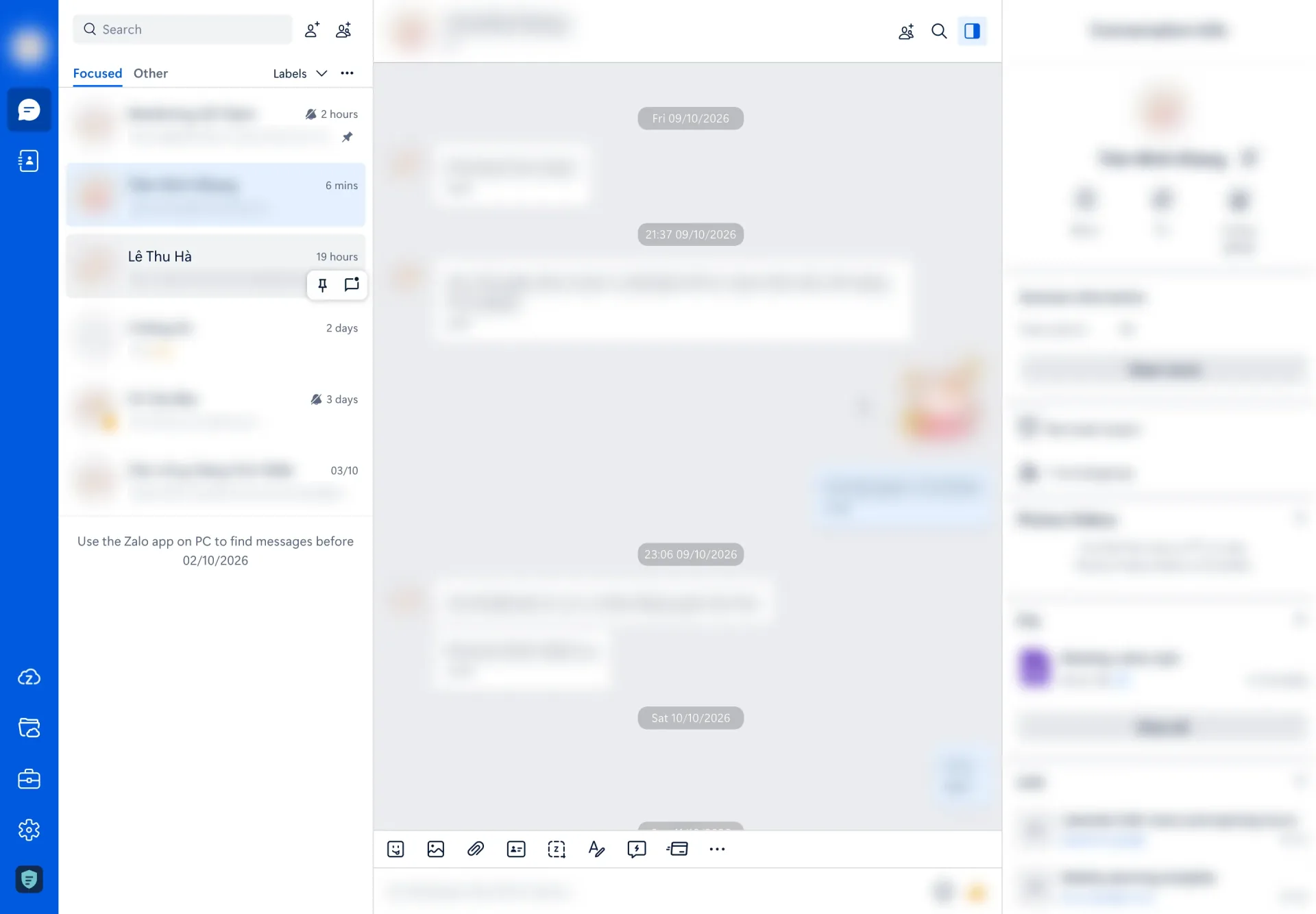
Here is the same window with NoPeep off, then on.
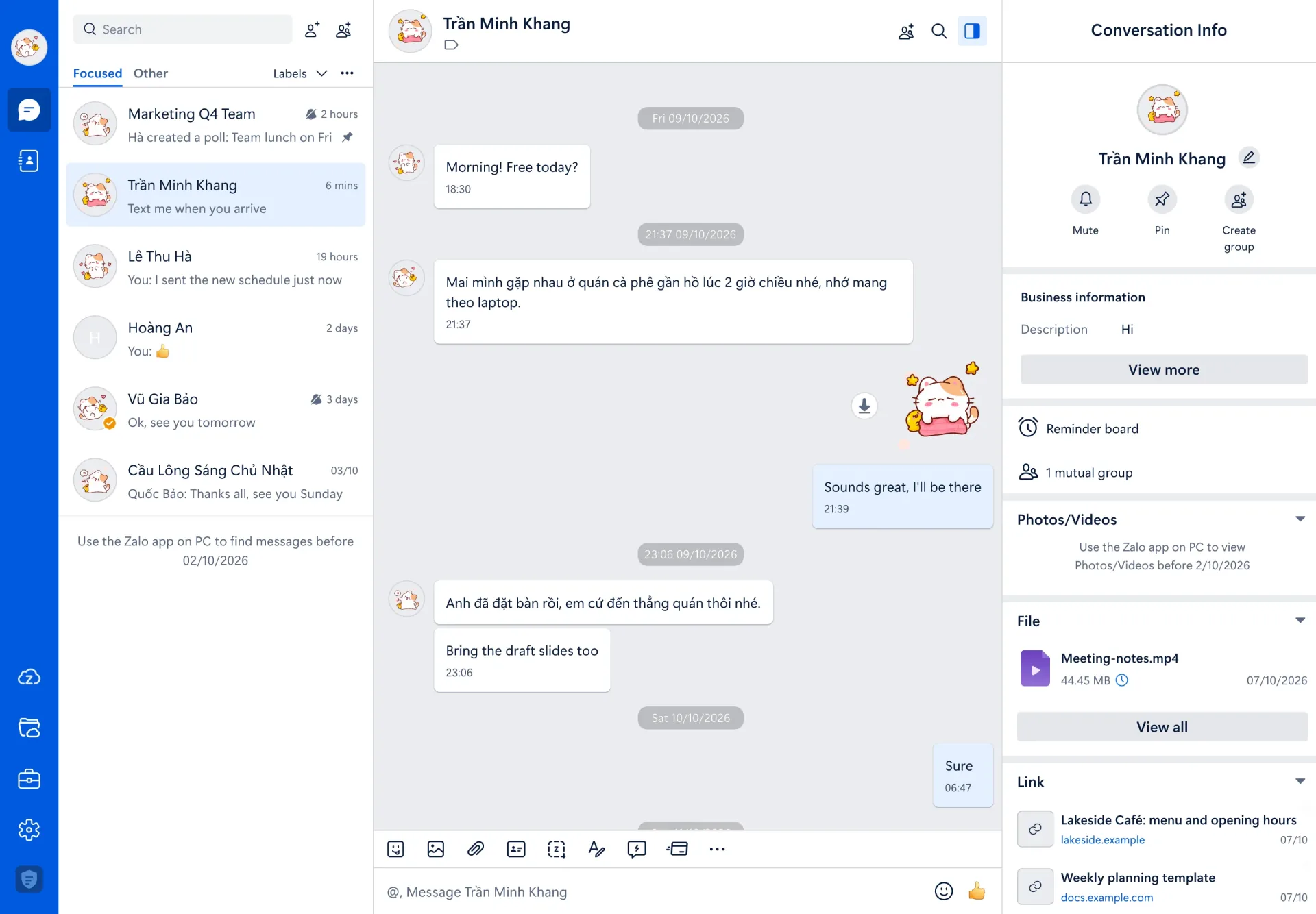
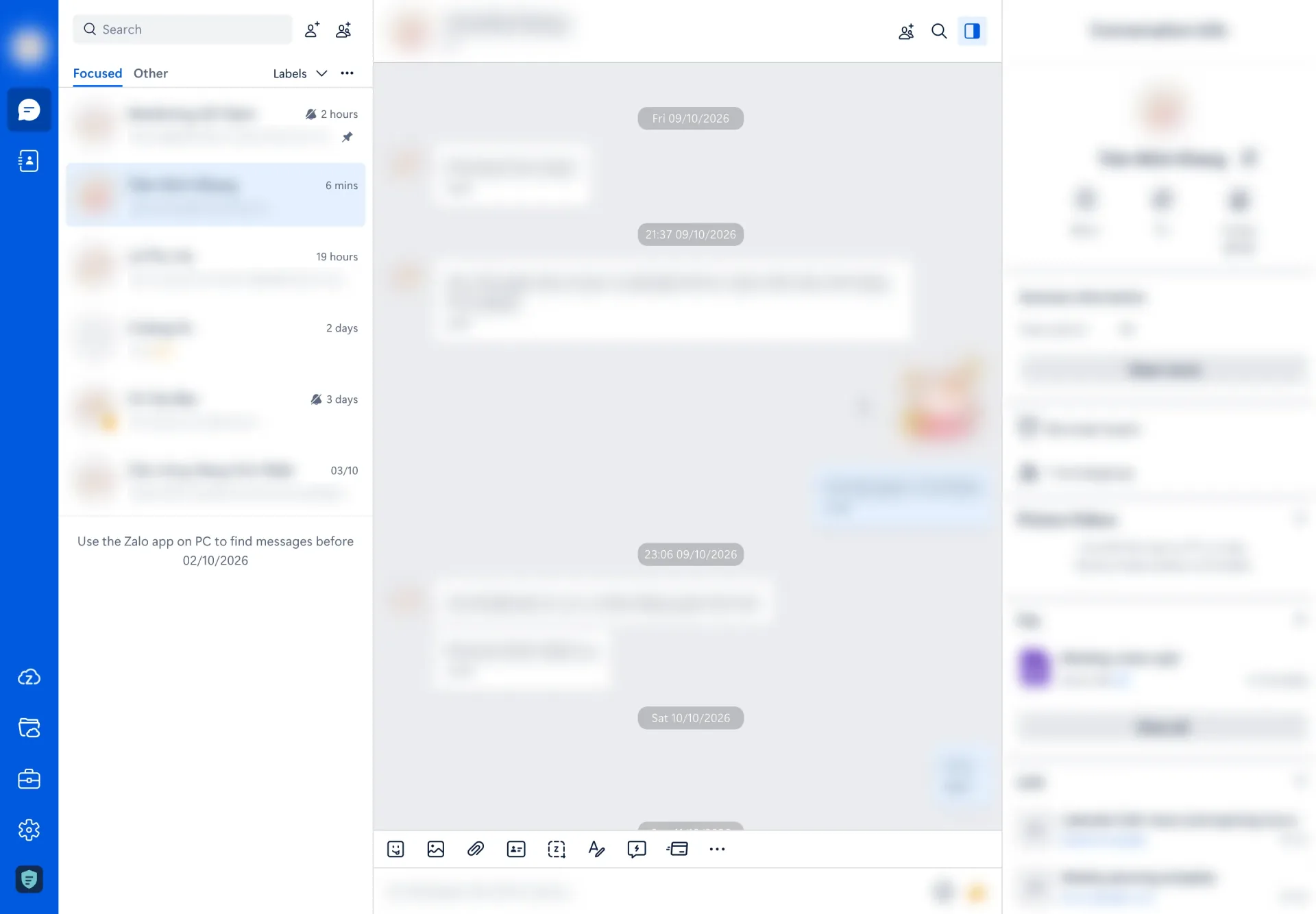
You choose what gets blurred. Each of these has its own switch:
- Contact and group names
- Profile photos
- Recent messages in the conversation list
- Conversation content inside a chat
- Photos and videos
- The message composer, the box you type in
- The conversation header
- Conversation info, the panel on the right
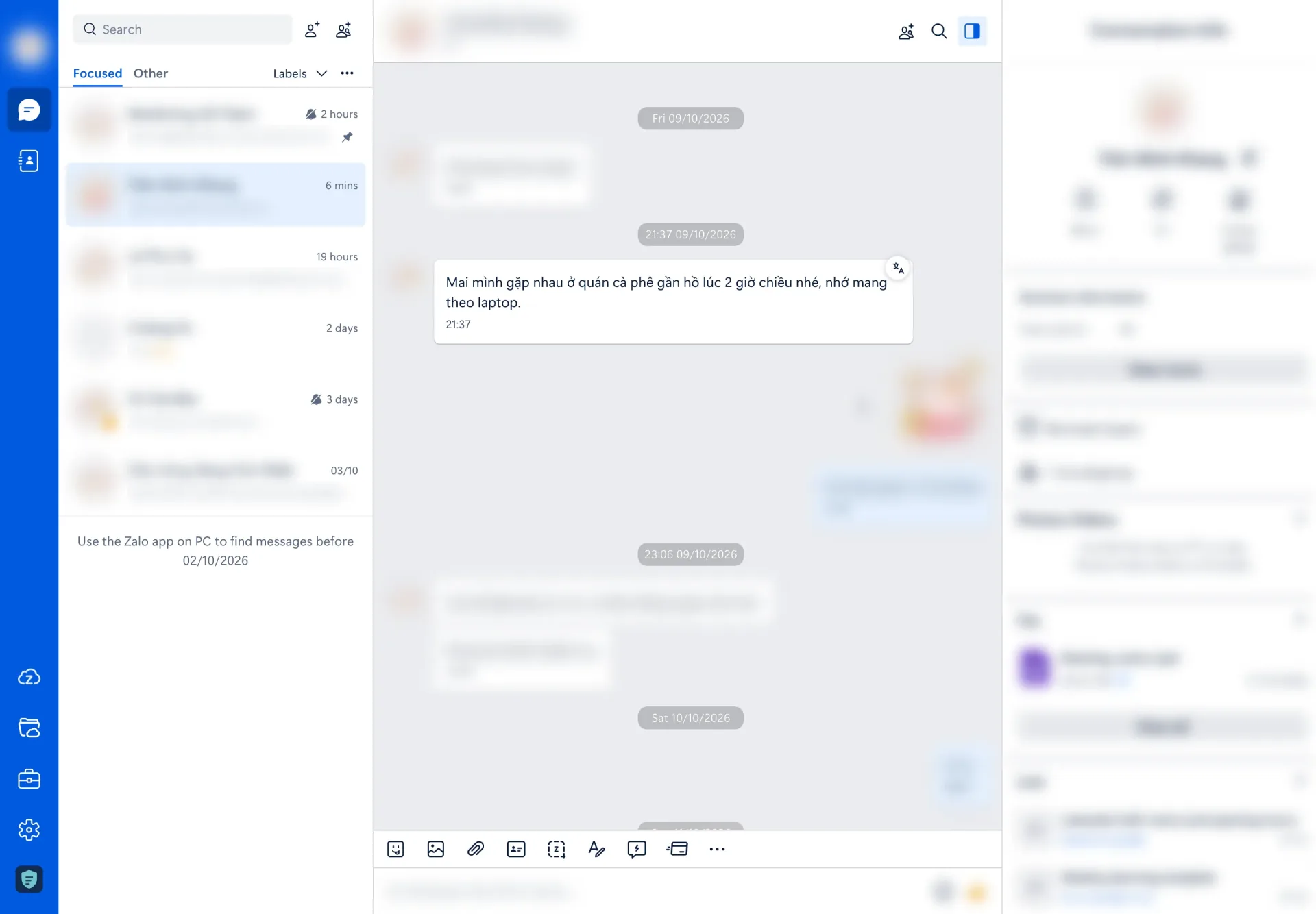
Hover to read, move away to blur again
Blurring everything would be useless if you couldn't read your own messages. So the blur lifts the moment you hover over something and comes back when your pointer leaves.
One key blurs everything
Someone is walking up behind you and you don't have time to open settings. Press Ctrl+Shift+B on a Mac, or Alt+Shift+B on Windows, and the whole page blurs at once, even if privacy mode is off. You can change the shortcut on Chrome's keyboard shortcuts page.
Two automatic options are there too, and both are off until you switch them on:
- Auto-blur when idle, with a picker for how long ("for 1 min", "for 2 min" and so on)
- Auto-blur when switching windows
Translate a message on your device
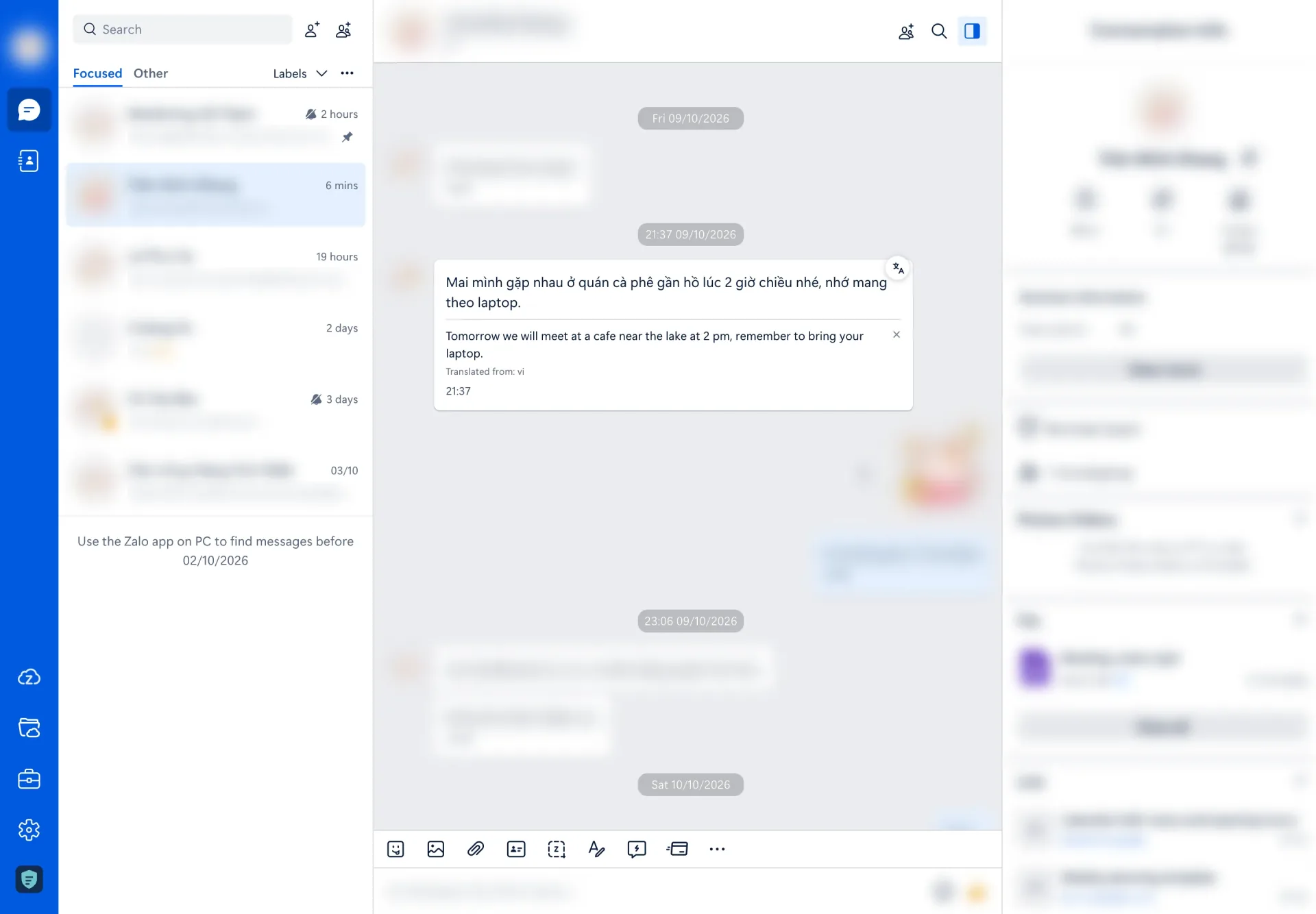
Hover a text message and a small translate button appears next to it. Click it and the translation shows up right under the message, along with the language it was translated from.
A few honest notes:
- The translation runs inside Chrome, on your device, using Chrome's built-in translation. NoPeep doesn't send the text anywhere.
- The button only appears when your version of Chrome supports on-device translation. The first time you use a language, Chrome may need to download it.
- The button sits just outside the bubble, so the message blurs again for a moment while you click it. Move your pointer back onto the message and the translation is readable.
Make Zalo your colour
If you'd rather your own messages, buttons and sidebar weren't Zalo blue, you can pick one of eleven other accent colours, next to the default Zalo blue. It follows Zalo's own dark theme too.
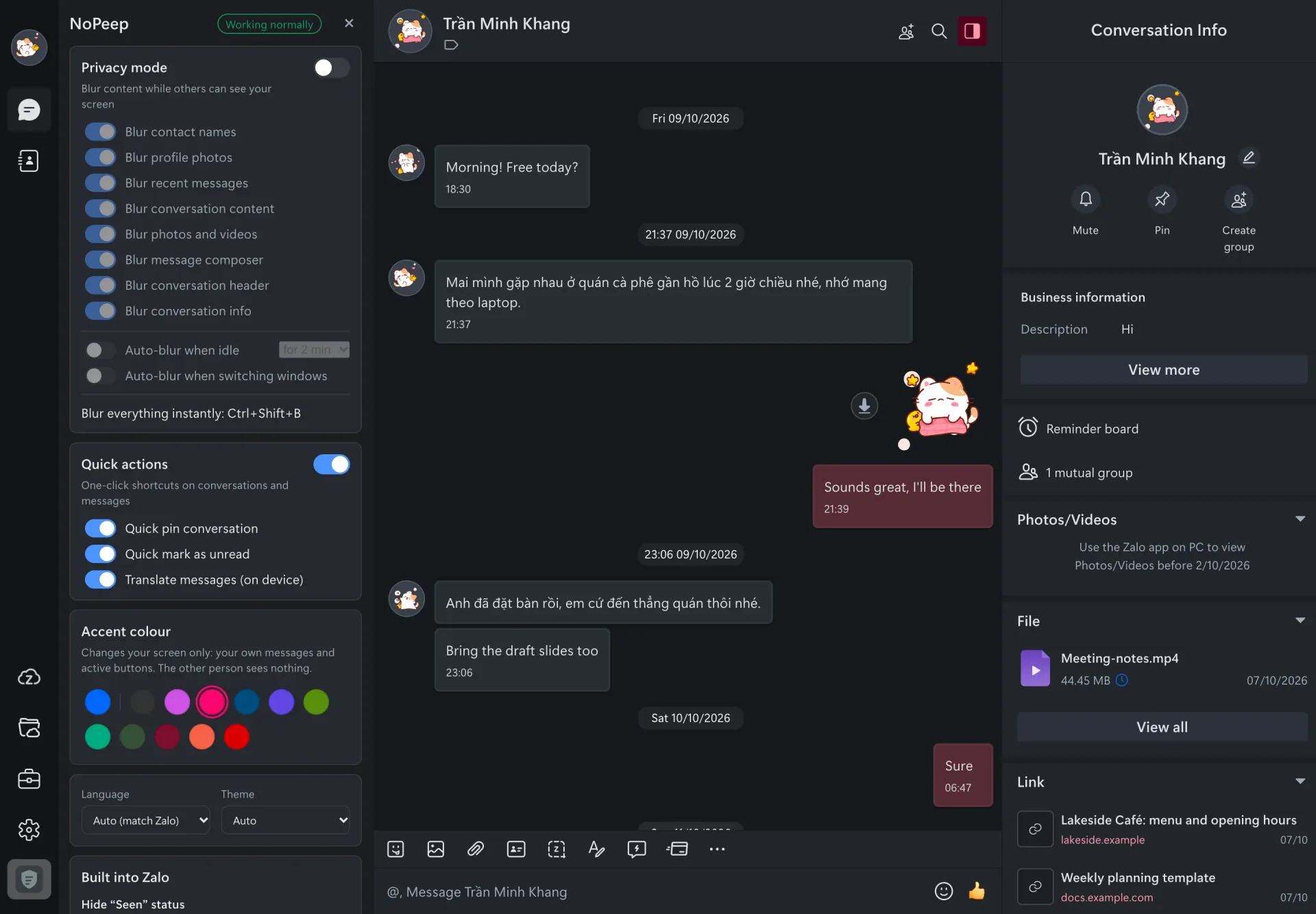
The colour only changes your screen. The other person sees nothing different.
Every setting, in one panel
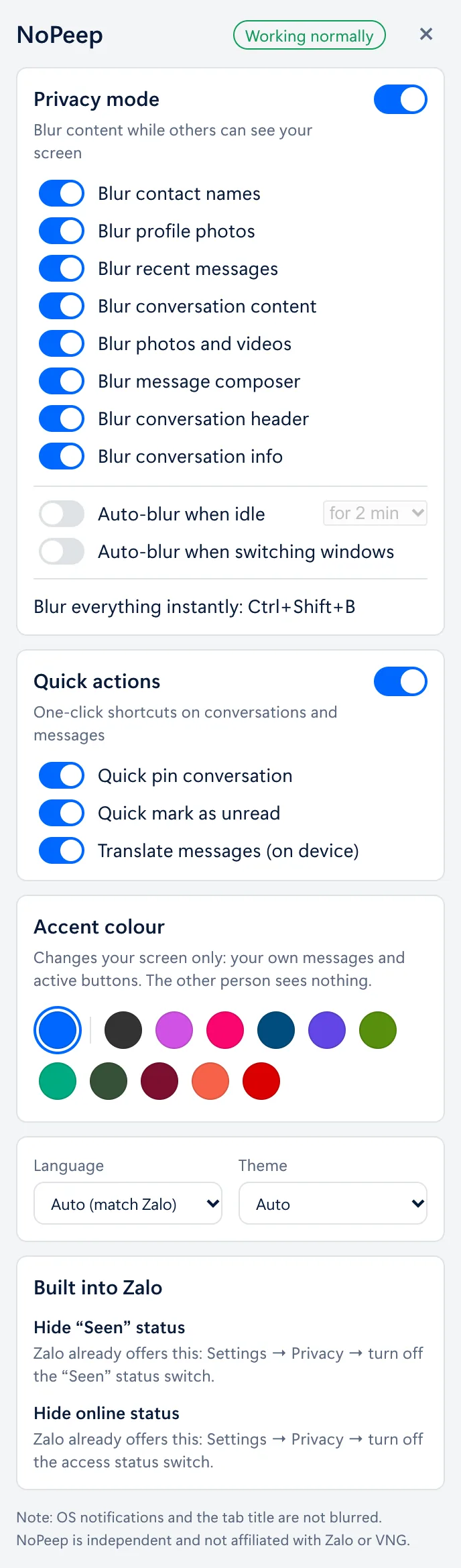
You don't need to hunt for a toolbar icon. NoPeep adds a small shield icon to Zalo's left sidebar, and clicking it opens the settings panel right over the conversation list. Next to it is a live preview: point at a setting and the part of Zalo it controls is outlined.
Here is everything in it:
- Privacy mode, the master switch, with the eight blur switches listed above
- Auto-blur when idle and auto-blur when switching windows
- Blur everything instantly, which shows your shortcut
- Quick actions, with quick pin and quick mark as unread buttons when you hover a conversation, and translate messages (on device)
- Accent colour, twelve to choose from
- Language (it follows Zalo by default) and theme (auto, light or dark)
- Built into Zalo, two reminders of where Zalo's own "Seen" and online-status switches are
The pin and unread buttons simply click Zalo's own menu items for you, the way you would yourself.
What it doesn't do
I'd rather be upfront about the limits than have you find out later:
- System notifications are not blurred. Neither is the browser tab title, or the window preview some operating systems show.
- It doesn't hide "Seen" or your online status. Zalo already has switches for those under Settings, then Privacy.
- It's not made by Zalo. NoPeep is independent and not affiliated with Zalo or VNG Corporation.
On privacy: NoPeep doesn't collect, store or send your messages, contacts or photos, there's no account, and it only runs on chat.zalo.me.
How to get it
NoPeep isn't on the Chrome Web Store just yet. When it is, you'll be able to add it in one click, and the page below will have the link.
It's built for Chrome on a computer, so it won't install on a phone.
Summary
NoPeep is a free Chrome extension for Zalo Web that does three jobs:
- Privacy: blurs names, photos, messages, media and the message box, with hover to read and one key to blur everything
- Translation: translates a message on your device, using Chrome's built-in translation
- Themes: twelve accent colours that follow Zalo's dark theme
- No account, no ads, no data collected
If you use Zalo Web in a café, an open office or on shared screens, it's worth a try once it's out.
See you in the next one 👋